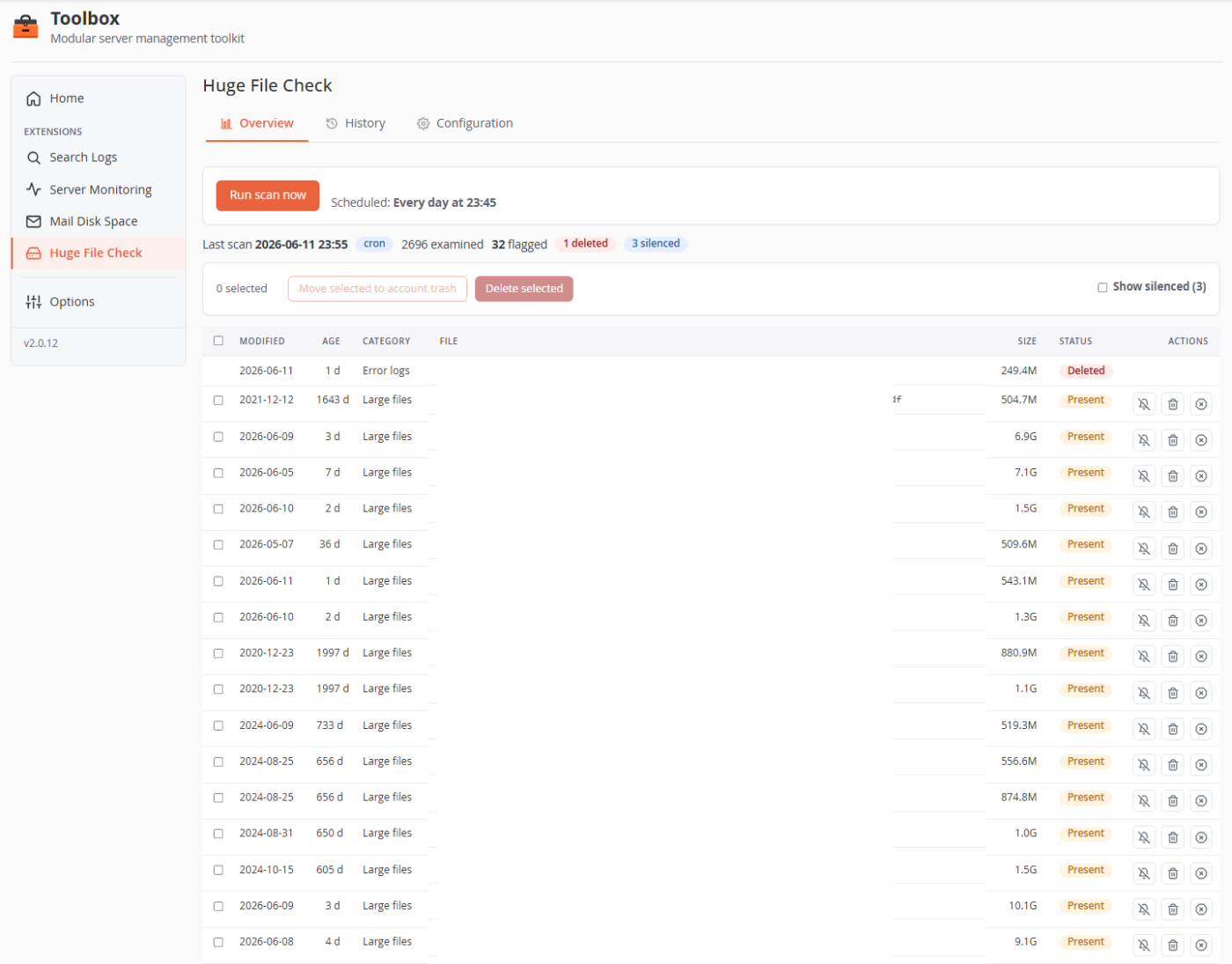
Scan /home on a schedule or on demand for oversized files and stale WordPress backups, flag them in clear categories, clean them up safely by hand or by policy, and get an email report.
A background scan walks /home and flags files in three categories, then gives you an interactive table to act on them — with a silence list for the known-good ones.
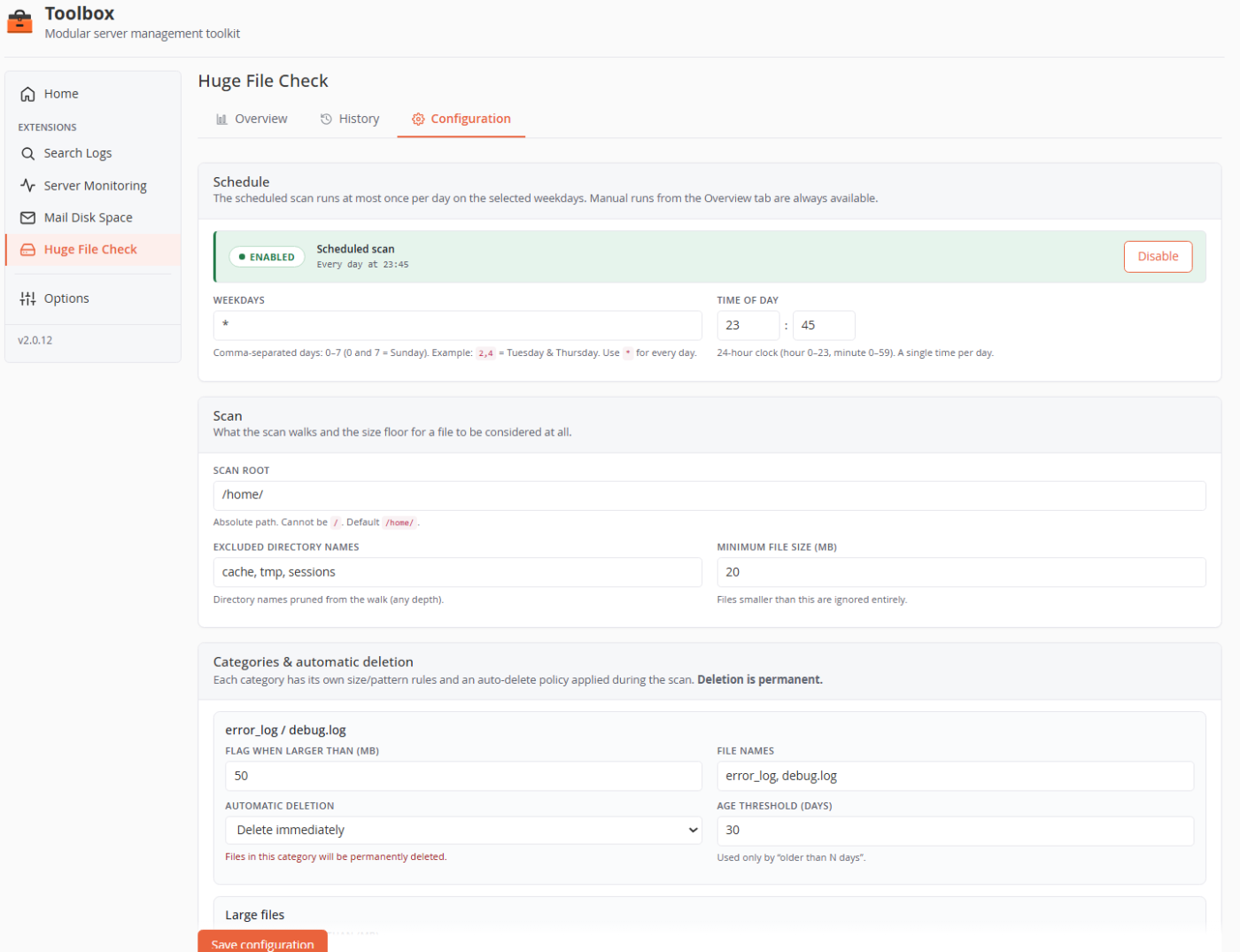
Run it once a day on the weekdays you choose, optionally auto-delete by category and age, and email the report to the channels you already use.
Three configurable categories: error_log/debug.log files over 50 MB, any file over 500 MB, and files matching WordPress-backup name patterns. A minimum size floor (default 20 MB) keeps small files out entirely.
Deletion is permanent, so it's opt-in per category and guarded: only files flagged by the latest run can be acted on, paths are re-validated against symlink and ".." escapes, and the unlink runs with the owning account's privileges. Silenced files are never auto-deleted.
No. The walk is a single streamed find command with excluded directories pruned, so memory stays flat even on very large /home trees, and only one scan runs at a time.
Yes. Silence it for up to 180 days (with an optional note); it's excluded from reports and auto-deletion until the silence expires, then flagged again.
Enable Huge File Check and a free trial starts on its own — no key, no credit card.